Adobe Experience Platform Profile & Segmentation Guardrails
Adobe Experience Platform (AEP) Real-Time Customer Profile is built for fast, cross-channel personalization — but it's not a relational database with infinite tolerance for "just one more nested object." AEP uses a denormalized, hybrid model, and Adobe publishes guardrails to keep performance stable and avoid hard errors.
Guardrail types: soft vs hard (the important philosophical difference)
Adobe defines two kinds of limits:
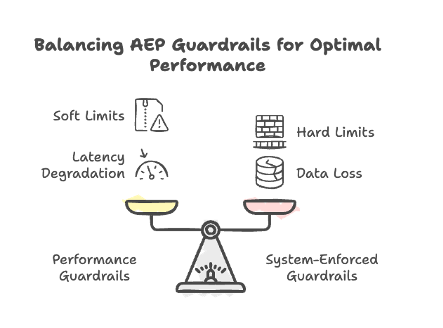
- Performance guardrails (soft limits): You can exceed them, but latency and stability may degrade. Adobe won't be responsible for the resulting sadness.
- System-enforced guardrails (hard limits): The UI/API blocks you, or the system drops data / fails operations.
The practical takeaway: soft limits are "budget warnings," hard limits are "brick walls."
1) Data model guardrails (how you shape Profile data)
These guardrails are about how many things you model and how complex your schemas get.
Primary entity guardrails (Profile + ExperienceEvent)
AEP recommends keeping the number of contributing datasets bounded:
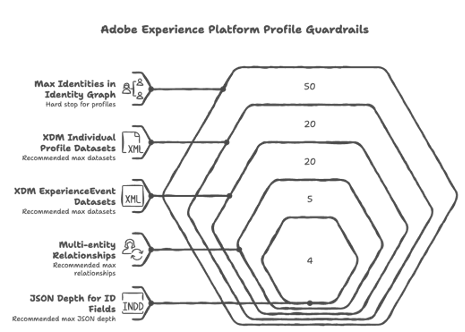
- XDM Individual Profile class datasets: recommended max 20 (soft)
- XDM ExperienceEvent class datasets: recommended max 20 (soft)
- Adobe Analytics report suite datasets enabled for Profile: recommended max 1 (soft)
- Multi-entity relationships: recommended max 5 (soft)
- JSON depth for ID fields used in relationships: recommended max 4 (soft)
- Array cardinality:
- In a profile fragment (time-independent data): optimal ≤ 500 (soft)
- In an ExperienceEvent (time-series data): optimal ≤ 10 (soft)
Identity graph "too-many-identities" hard stop
- Max identities in an Identity Graph for an individual profile: 50 (hard)
Profiles with more than 50 identities are excluded from segmentation, exports, and lookups.
That's a sneaky one: you can still ingest, but you'll wonder why downstream audiences act haunted.
Dimension entity guardrails (non-person entities like products, stores, etc.)
- No time-series data for non-XDM Individual Profile entities: 0 (hard)
- No nested relationships between non-profile schemas: recommended 0 (soft)
- Primary ID JSON depth: recommended max 4 (soft)
2) Data size guardrails (how big each thing is, and how much you shovel per day)
Adobe measures sizes as uncompressed JSON at ingestion time.
Hard size limits (the system drops or fails)
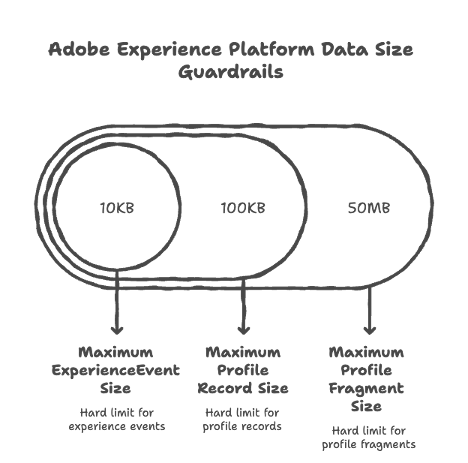
- Maximum ExperienceEvent size: 10KB (hard) — larger events are dropped
- Maximum profile record size: 100KB (hard) — larger records are dropped
- Maximum profile fragment size: 50MB (hard) — segmentation/exports/lookups may fail for fragments above this
"You can, but you shouldn't" performance limits
- Profile storage size: 50MB (soft)
- Profile + ExperienceEvent batches ingested per day: 90 total (soft)
- ExperienceEvents per profile record: 5000 (soft) — segmentation uses latest 5000 if you exceed
Dimension entity sizing
- Total size for all dimensional entities: recommended 5GB (soft)
- Datasets per dimensional entity schema: recommended 5 (soft)
- Dimension entity batches ingested per day: recommended 4 per entity (soft)
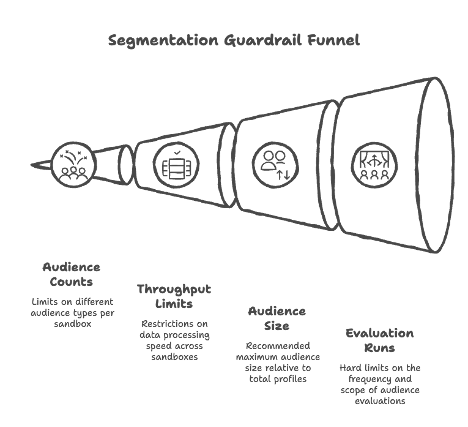
3) Segmentation guardrails (audiences, throughput, and evaluation limits)
Segmentation has its own set of ceilings. Key ones:
Counts per sandbox
- Audiences per sandbox: 4000 (soft)
- Edge audiences per sandbox: 150 (soft)
- Streaming audiences per sandbox: 500 (soft)
- Batch audiences per sandbox: 4000 (soft)
- Account audiences per sandbox: 50 (hard)
- Published compositions per sandbox: 10 (soft)
Throughput
- Edge throughput across all sandboxes: 1500 RPS (soft)
- Streaming throughput across all sandboxes: 1500 RPS (soft)
Audience "bigness"
- Recommended max audience size: 30% of total profiles (soft)
Flexible audience evaluation runs (hard limits)
- 50/year per production sandbox; 100/year per development sandbox (hard)
- 2/day per sandbox (hard)
- 20 audiences per run (hard)
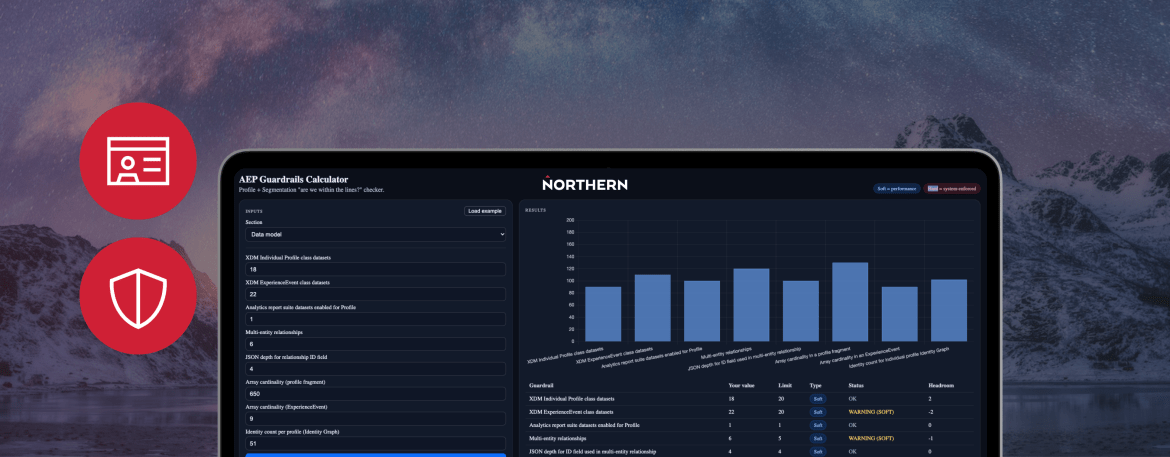
Try it yourself: the AEP Guardrails Calculator
To make these limits easier to reason about, we've put together an interactive calculator. Pick a section, enter your values, and it'll tell you whether you're within the lines, in the soft-limit warning zone, or about to hit a hard wall.
AEP Guardrails Calculator
Profile + Segmentation "are we within the lines?" checker.
Soft = performance Hard = system-enforced
Inputs
Notes:
- Sizes assume uncompressed JSON at ingestion.
- Soft limits: you can exceed them, but you may see latency/performance degradation.
- Hard limits: blocked/dropped/excluded behaviors.
Results
| Guardrail | Your value | Limit | Type | Status | Headroom |
|---|---|---|---|---|---|
| Enter values and click Calculate. | |||||
Limits embedded from Adobe Experience Platform Profile guardrails documentation (Profile + Segmentation guardrails).
Working through these guardrails is one of the trickier parts of running a healthy AEP implementation — the limits are deceptively simple on paper, but they ripple through schema design, ingestion strategy, and segmentation architecture in ways that aren't always obvious until something silently breaks. If you're sizing up a new AEP build, auditing an existing one, or trying to figure out why your audiences are acting haunted, we'd love to continue the conversation.
Stay informed, sign up for our newsletter.